How to Use BebeSnap Growth Tracker: Check Height & Weight Percentiles
Manage Easier with BebeSnap
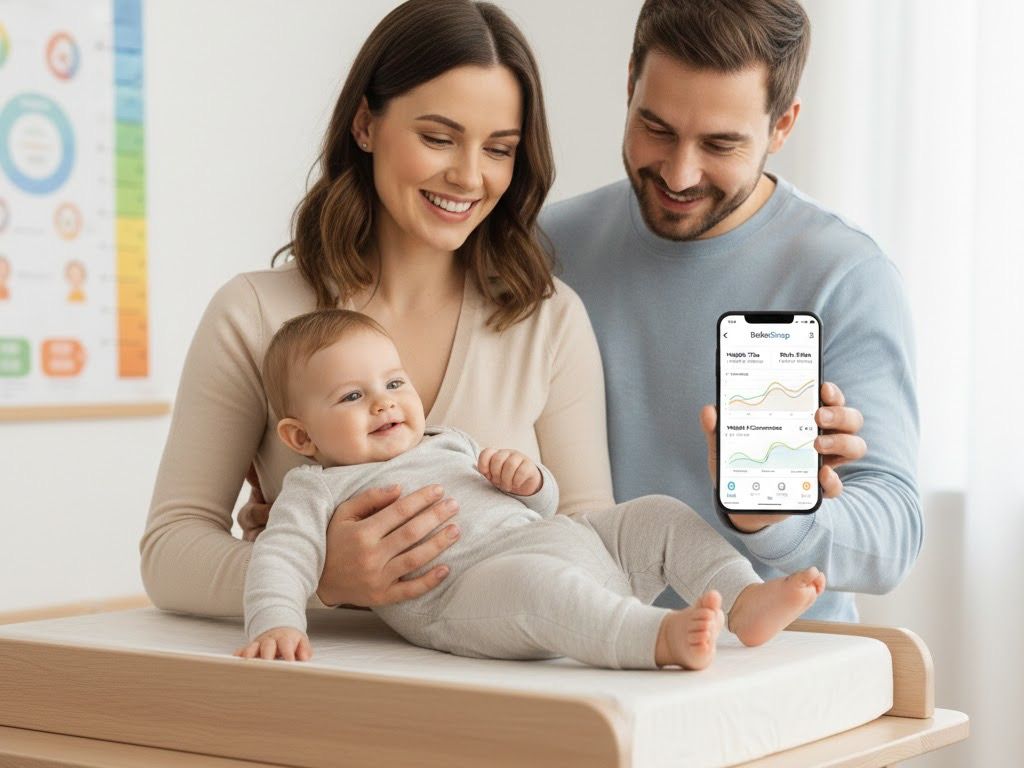
Get Started Free"Is my baby growing well?", "Where do they stand among babies the same age?", "Are they developing on time?" Every parent shares these concerns. Use BebeSnap growth tracker to record height, weight, and head circumference, then check percentiles based on WHO growth charts.
Why Growth Tracking Matters
Baby growth records are a barometer of health.
Why you need to track:
- Monitor growth trends: Verify consistent growth
- Check percentiles: Objective comparison among peers
- Detect warning signs: Pay attention if growth curve changes suddenly
- Doctor consultation data: Useful for health checkups
Having growth records makes consultations more accurate during well-baby checkups.
Recording Body Measurements
Basic Recording Method
Step 1: Tap Measurement Icon
- Swipe right on the main screen icons to find the Measurement icon
- Depending on settings, records immediately or opens detail screen
Step 2: Enter Measurements
Recordable items:
📏 Height (cm)
- Use ±1, ±5, ±10cm buttons for quick adjustment
- Decimal input available (e.g., 65.5cm)
⚖️ Weight (kg)
- Use ±0.05, ±0.1, ±1kg buttons for quick adjustment
- Accurate to grams (e.g., 7.85kg)
🔵 Head Circumference (cm)
- Adjust with ±0.5, ±1cm buttons
- Important indicator for brain development
Step 3: Save
- Press Save button to complete
Accurate Measurement Methods
Height measurement:
- Measure lying down (under 2 years)
- From heel to crown of head
- Keep legs straight
Weight measurement:
- Baby scale recommended
- More accurate without diaper
- Regular scale: weigh holding baby, then subtract
Head circumference:
- Use tape measure at most prominent forehead
- Pass over most prominent back of head
- Don't pull too tight
Checking Percentiles
What are WHO Growth Charts?
International standard growth criteria from the World Health Organization (WHO). Created based on growth data from healthy children worldwide.
Percentile meanings:
- 50%: 50th among 100 peers (average)
- 75%: 75th among 100 peers (above average)
- 25%: 25th among 100 peers (below average)
Checking in BebeSnap
Step 1: Open Stats Tab
- Tap stats icon at top right
Step 2: Select "Percentile" Tab
- Choose Percentile in growth stats screen
Step 3: View Growth Chart
- Graph based on WHO growth charts
- Baby's gender and age automatically applied
- Percentiles shown for height and weight
Interpreting Percentiles
| Percentile | Meaning | Notes |
|---|---|---|
| Below 3% | Possible short stature/underweight | Consult doctor |
| 3-10% | On the smaller side | Monitor trend |
| 10-90% | Normal range | Growing well |
| 90-97% | On the larger side | Monitor trend |
| Above 97% | Possible overweight/macrosomia | Consult doctor |

Checking Developmental Milestones
Track developmental status beyond height and weight.
What are Developmental Milestones?
Developmental stages babies should reach at specific ages.
Categories:
- Motor development: Head control, rolling over, crawling, walking
- Cognitive development: Eye contact, grasping toys, responding to name
- Social development: Smiling, stranger anxiety, peek-a-boo
Checking in BebeSnap
Step 1: Open My Page
- Tap My Page in bottom menu
Step 2: Select "Developmental Milestones"
- Developmental Milestones menu under baby profile
Step 3: Check Age-Specific Checklist
- Check developmental items for current age
- Supports 2 months to 60 months
- Check off achieved items
Step 4: Review Warning Signs
- Guidance on developmental delay signs for each age
- Consult pediatrician if applicable
Using Growth Records
Viewing Growth Graphs
See visual growth trends in the Stats tab:
- Height growth graph: Monthly height changes
- Weight growth graph: Monthly weight changes
- Head circumference graph: Monthly changes
- BMI trend: Body mass index changes
Using at Doctor Visits
For health checkups or pediatric visits:
- Show growth record screen to doctor
- Explain percentile trends together
- Screenshot and save for convenience
Frequently Asked Questions (FAQ)
Q: How often should I measure?
A: For infants (0-12 months), measure at least monthly; for toddlers (1-3 years), every 2-3 months; and always measure before checkups. More frequent measurements help track growth trends more accurately.
Q: Is a low percentile a problem?
A: Not necessarily. A low percentile alone isn't a problem, what matters more is the trend of the growth curve. As long as your baby consistently follows their own curve within the normal 10-90% range, they're growing well. Consult a doctor only if the percentile drops suddenly or falls below 3%.
Q: Will my baby be small if the parents are short?
A: Genetics play a role, but nutrition and environment matter too. Being smaller than peers is fine as long as your baby consistently follows their own curve, since the trend of the growth curve matters more than the percentile number. Track height and weight monthly to confirm steady growth.
Q: Why measure head circumference?
A: Head circumference is an important indicator of brain development, which is why BebeSnap records it alongside height and weight. Measure with a tape measure across the most prominent part of the forehead and back of the head, without pulling too tight. Consult a doctor if it grows too fast or too slowly.
Q: What if some items aren't checked on the milestone list?
A: Not all babies develop at the same pace, and a 1-2 month difference is normal, so an unchecked item isn't necessarily a concern. BebeSnap's milestone checklist supports ages 2 to 60 months across motor, cognitive, and social development. Consult a pediatrician if multiple items are delayed for the age.
Q: Can I import records from other apps?
A: Automatic import from other apps isn't currently supported, so you'll need to manually enter any existing records. Use the Measurement icon to add past height, weight, and head circumference values, adjusting quickly with the ±1, ±5, ±10cm buttons for height and ±0.05, ±0.1, ±1kg buttons for weight.
Download BebeSnap
Beyond growth tracking, enjoy feeding logs, sleep tracking, AI stool analysis, family sharing and more features for free.
References
Manage Easier with BebeSnap
AI stool analysis, feeding & sleep tracking, and health reports in one app.
See what the app does firstYou Might Also Like

BebeSnap Plan Guide: Baby Routine, Schedule, Widget, and Alerts
Manage your baby's daily routine and schedule faster. Complete or skip tasks from widget/alerts, and auto-save parenting logs in one flow.

BebeSnap AI Chatbot Tori Guide | Parenting Consultation
BebeSnap AI chatbot Tori is a smart parenting partner available 24/7. It analyzes your baby's care records to provide personalized advice and helps you find the latest parenting information.

How to Use BebeSnap Family Sharing: Co-Parenting Made Easy
Both parents can check baby records in real-time! Easy connection with invite code, unlimited family sharing. Co-parent with BebeSnap family sharing.